T-shirts and kits with the ticket: how to sell them on a landing page
Carnival groups and run clubs sell t-shirts and race kits next to the ticket. When to include the item in the tier, when to sell it separately, and how to build the page.

In this article
To sell a t-shirt or a race kit next to the ticket, build a campaign landing page with your dates and the products from your catalog. The buyer picks the date, the size and how to get the item, and pays for everything on one order. When the item is part of the entry, like a race kit, include the product in the ticket tier itself.
Why sell the product with the ticket
Someone buying a ticket for a street carnival group is already picturing the day: what to wear, where to meet friends, whether to bring a mug. That is the best moment to offer the official t-shirt. For a race, the kit is usually part of the entry, and the t-shirt size has to be picked at purchase time so the organizers can place the right order with the supplier.
Selling everything in one place solves three common problems: the side spreadsheet of sizes, the separate Pix transfer for the t-shirt, and the line of people who paid but aren't on the list.
| Situation | Street carnival group | Run club race |
|---|---|---|
| What to sell | Official t-shirt, mug, hand fan, visor | Kit with a t-shirt, race bib and freebies |
| How the item reaches people | Pickup at the group's tent, or shipping | Packet pickup, before the race |
| Who picks the size | Whoever buys the t-shirt | Each entrant, per ticket |
| Required item? | No: many people only want the ticket | Often yes: the kit is part of the entry |
Kit included in the tier, or product sold separately?
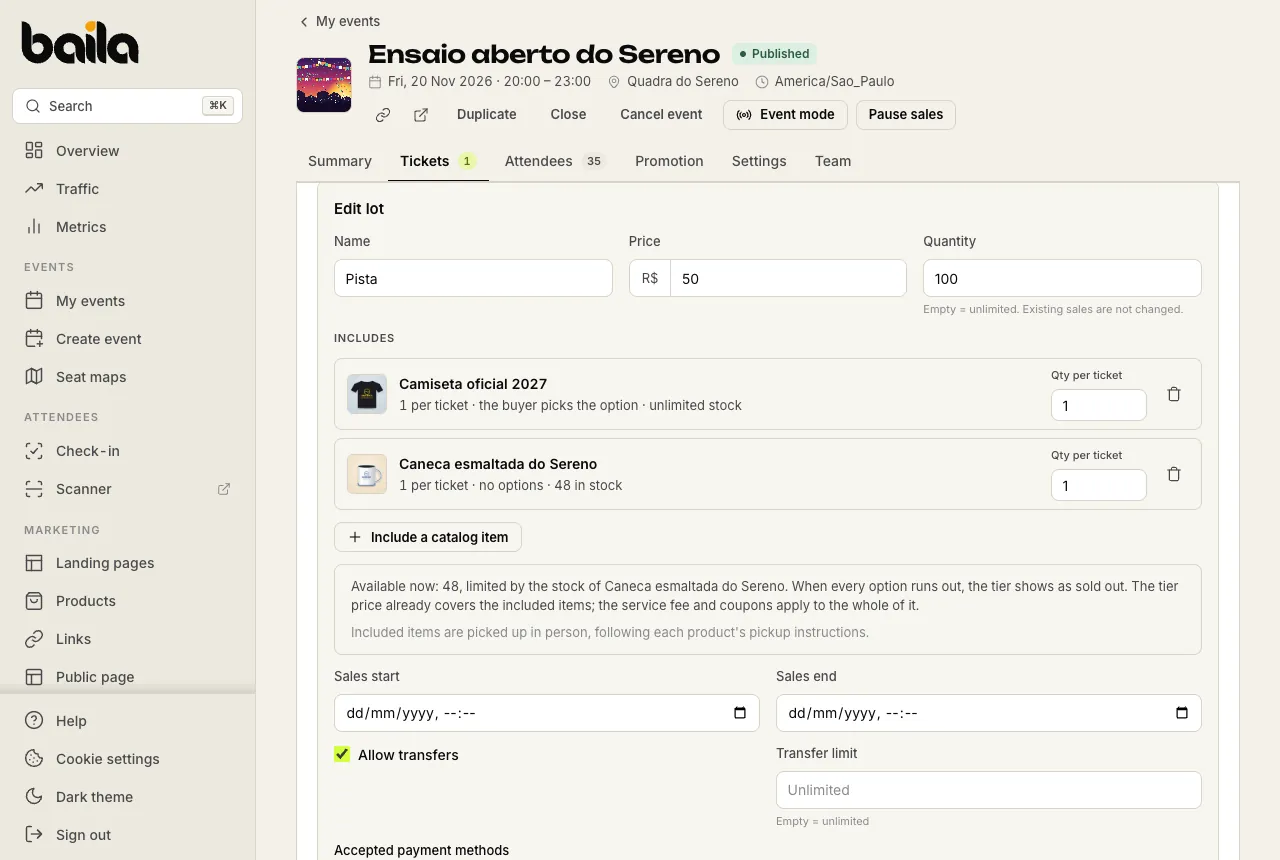
On Baila there are two ways to put an item next to a ticket, and the choice changes price, stock and commission.
| Item included in the tier | Product sold separately | |
|---|---|---|
| Price | Part of the tier price | Its own price, added in the cart |
| Service fee and coupons | Apply to the whole tier | Don't apply to products |
| Size choice | Per ticket, at checkout | Per unit, when adding to the cart |
| Delivery | Always picked up in person | Pickup, shipping or both |
| Promoter commission | Part of the ticket amount | Products earn no commission |
| When stock runs out | The tier shows as sold out | Only the product sells out |
A tier with an included item suits a race entry: nobody runs without a bib, and everyone gets the same kit. A separate product suits a carnival group: whoever wants the t-shirt buys it, whoever doesn't, doesn't pay for it. You can also use both, for example a pricier tier with the shirt included and a plain tier without it, with the mug on sale in the shop.
How to build the campaign page
A landing page puts the dates and the shop at one address, such as vaidebaila.app/sereno-carnaval-2027. Step by step:
- Add the products under Products, with photos, a price, the options (color and size) and the stock of each combination.
- Set up delivery: shipping is a flat amount per order, and each product can have pickup, shipping or both. Write where and when to pick up.
- Create the landing page, from scratch or from the label that already groups your event's editions. The label brings the cover, the description, the upcoming dates and your active products.
- Order the blocks: cover, a short text about the group or the race, the dates, the shop, the gallery and the FAQ (where to pick up, how much shipping costs).
- Publish and create one link per channel in the Link builder: one for Instagram, another for the WhatsApp group, one with each promoter's code.
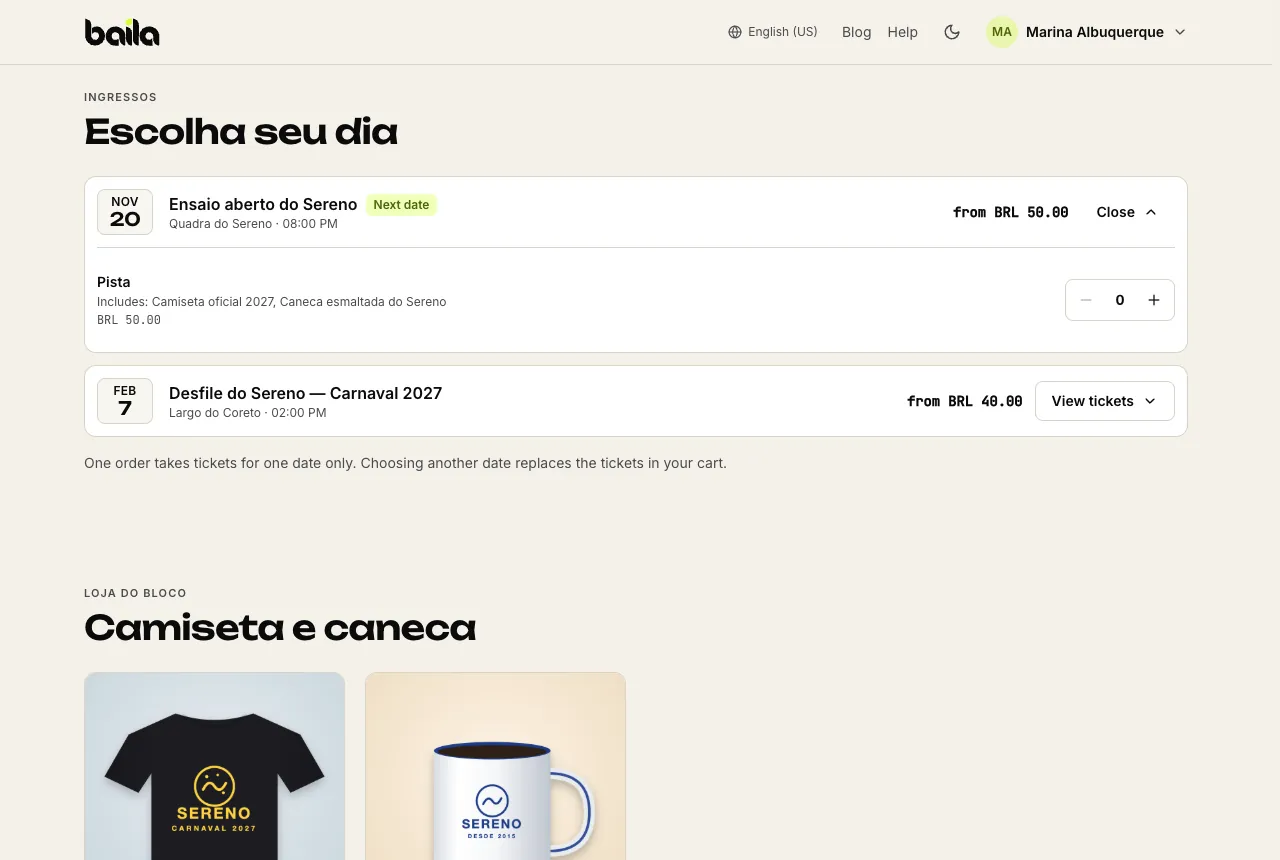
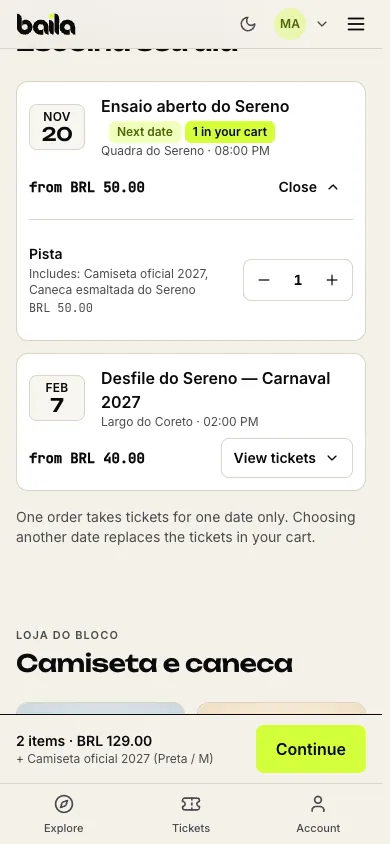
The cart holds tickets for one date and up to 20 different items, with up to 10 units of each option. The service fee, if you charge one, applies to tickets only: the product price on the page is the price paid.
How much stock to order, and what happens when a size runs out
Stock is tracked per combination: the black t-shirt in size M has its own stock, separate from the white M. When a combination runs out, buyers see it crossed out, and the others stay on sale.
A starting size grid you adjust to your crowd (the numbers are an example, not a rule; P, M, G and GG are the Brazilian S, M, L and XL):
| Size | Street carnival group | Run club race |
|---|---|---|
| P | 20% | 15% |
| M | 35% | 35% |
| G | 30% | 30% |
| GG | 15% | 20% |
In a tier with an included item, the item's stock counts for the tier. When the item runs out in every option, the tier shows as sold out, even with tickets left, and the next tier does not open by itself. If your tier changeover depends on it, keep an eye on the stock and restock, or adjust the tier's quantity.
Start with a bit less stock than you ordered from the supplier and release the rest after a week of sales. That way you see which sizes move before committing everything.
Pickup or shipping: how to organize delivery
For pickup, the buyer shows the order code, and the order page in the dashboard lists the items and each one's option. Each person's ticket shows their own, such as Includes: Camiseta oficial 2027 (Preta / M). A tent at the rehearsal or at packet pickup, with one person checking codes, is usually enough.
For shipping, the buyer gives an address at checkout and pays the shipping fee once per order. The address shows on the order page with a copy button. Baila doesn't handle logistics: you agree on timing and delivery with the buyer.
If something goes wrong with a delivery, you can refund only the products and the shipping fee without cancelling the tickets, and the stock goes back on sale.
Frequently asked questions
Can people buy just the t-shirt, without a ticket?
Yes. On the landing page or in the Shop section of your public page, buyers can buy products only. The order has no ticket and shows in your list of orders with products.
Does the promoter earn a commission on the t-shirt?
No. Commissions, coupons and discounts apply to tickets only. A products-only sale through a promoter's link shows in the landing page's performance, for tracking.
Does Baila issue invoices for products?
No. You issue the product invoice (the Brazilian NF-e) from your own system.
Sources
- How to include a catalog item in a ticket tier (kit, t-shirt), Baila help center, accessed November 17, 2026.
- How to create a landing page for your campaign, Baila help center, accessed November 17, 2026.
- How to sell tickets and products on the same order, Baila help center, accessed November 17, 2026.