How to sell tickets and products on the same order
Buyers buy a ticket and a t-shirt in one payment, or products alone. See what they see at checkout and where you find the orders, the address and the pickup.
This is done in the organizer dashboard
On a landing page, buyers fill one cart with tickets for one date and products from your catalog, and pay for everything at once. They can also buy products alone, with no ticket, on the landing page or in the Shop section of your public page. You track these orders under Products > Orders.
What the buyer sees
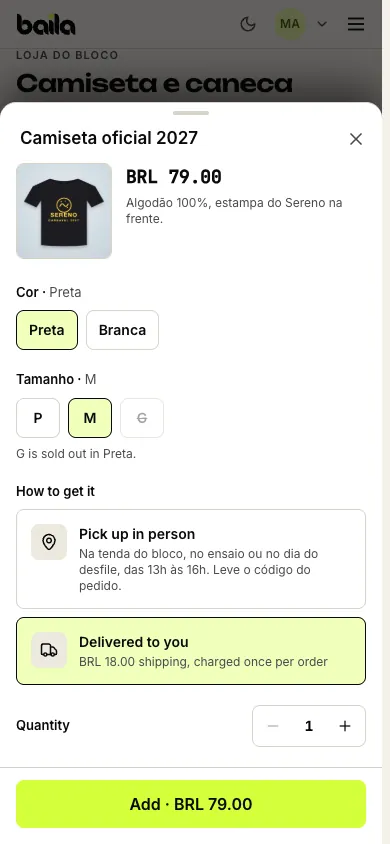
On the page, they tap Choose options (or Add, for products without variants). In the product window, they pick the options, such as color and size, and how to get it: Pick up in person, with your text on where and when to pick up, or Delivered to you, with the shipping fee. Sold-out combinations are crossed out.
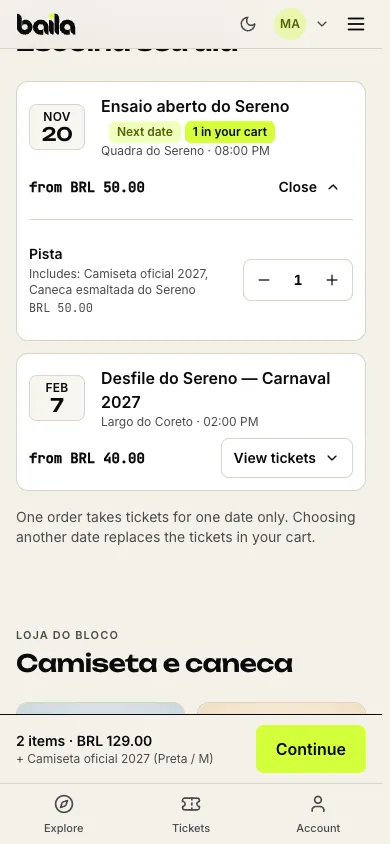
They pick tickets for one date. The cart bar at the bottom of the screen adds up tickets and products, and Continue opens checkout.
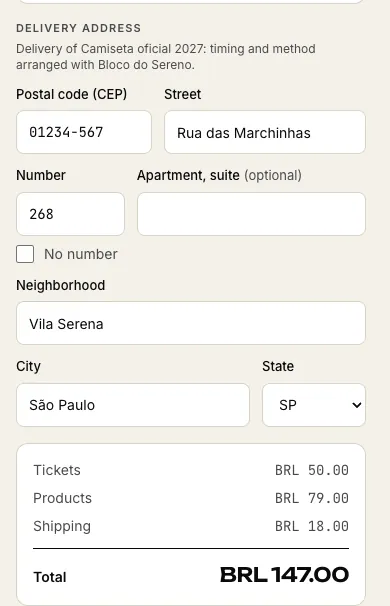
In the Order summary, they check the tickets and products and, when something ships, fill in the Delivery address. The total splits Tickets, Products and Shipping.
They pay by Pix or card, in one payment. Tickets and products are on the same order, with the same code.
A few cart rules:
- One date per order. The cart holds tickets for one date only. If the buyer picks another date, the page asks whether to swap the tickets; the products stay.
- Service fee on tickets only. When you charge a service fee, it applies to the tickets. Products and shipping carry no fee for the buyer.
- Coupons on tickets only. Discount coupons and fan-club discounts don't apply to products.
- Co-hosted events. When a co-host charges for the event, products can't be on the same order as that event's tickets. See co-hosting.
- Products only works too. With no ticket in the cart, checkout shows just the products, the shipping fee (if any) and the payment. After paying, the buyer finds the order under Purchases in their account, with the order code for pickup.
Where to see orders with products
Under Products, open the Orders tab (or go to dashboard.vaidebaila.app/products/orders). The list shows every order that has products, newest first: the order code, the event (or Products only), the buyer, how many items, a Shipping badge when something ships, the total and the status.
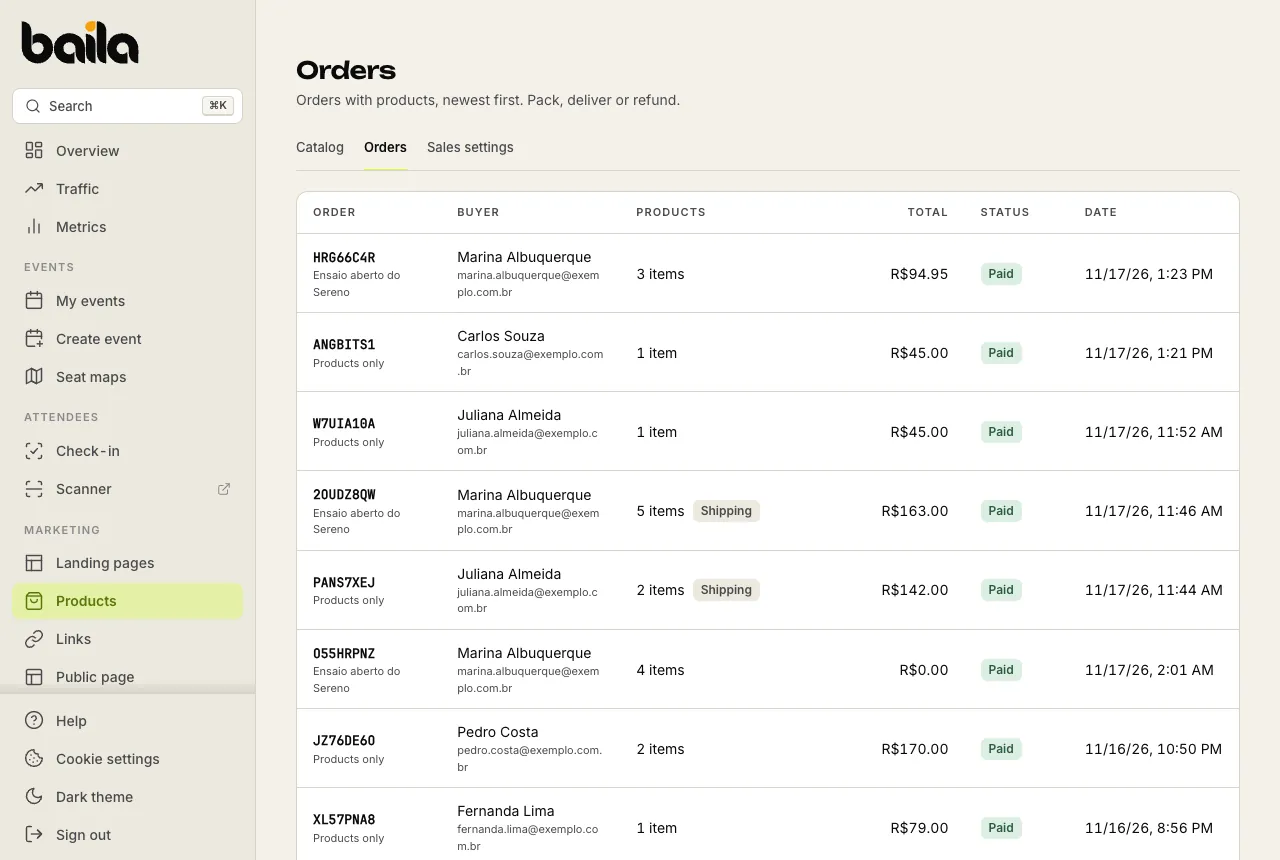
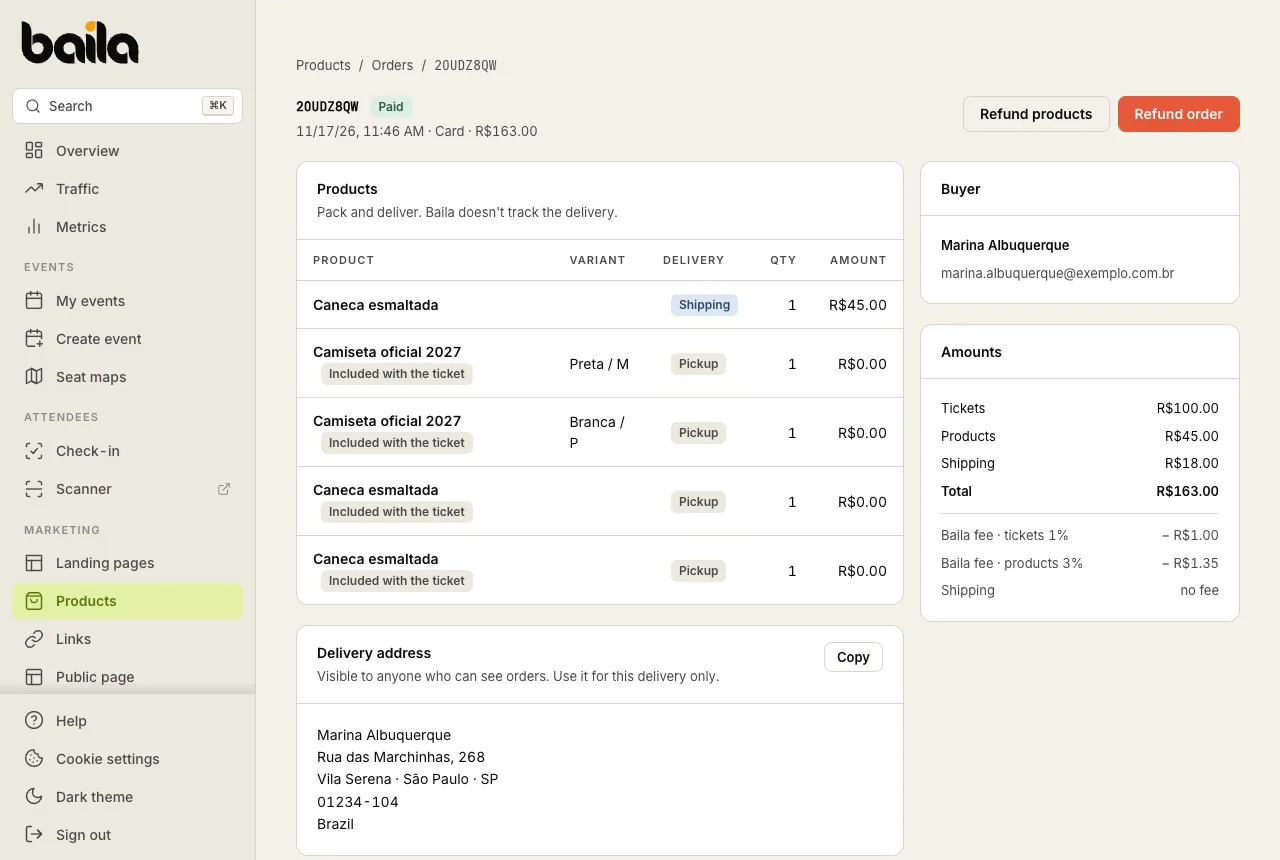
Click an order to open its page:
- Products: each item with its variant, the delivery method (Pickup or Shipping) and the amount. Items that come with a ticket show as Included with the ticket.
- Delivery address: the address the buyer gave, with a Copy button to paste on the label. Only people who can see orders see it; use it for this delivery only.
- Buyer: name and e-mail.
- Amounts: tickets, products, shipping, total and Baila's fees on tickets and on products (shipping has no fee).
On your events, the Attendees tab also shows a shortcut such as 2 products on each order with products, which opens the same order page.
How to handle pickup and shipping
- Pickup: the buyer shows the order code (the same one as in the Orders list). Check the code and the items on the order page and hand them over.
- Shipping: copy the address from the order page and agree on timing and delivery with the buyer. Baila doesn't track the delivery or print labels.
If you can't deliver, you can refund only the products without touching the tickets.
Frequently asked questions
Can buyers get a product on the event page? No. Products are sold on landing pages and in the Shop section of your public page. To sell them next to the ticket, build a landing page with the event and the products.
Can one order have tickets for two dates plus products? No. Each order holds tickets for one date. The buyer places one order per date; the products can go on either.
What if a size sells out while the buyer is at checkout? Stock is checked at payment time. If the variant ran out, checkout says so and asks to remove the item or pick another option.
Related articles
How to set up shipping, pickup and the shop on your public page
Set one flat shipping fee per order, choose Pickup or Shipping for each product, write where to pick up and show your catalog on your public page.
How to refund the products of an order
Give back the products and the shipping fee without cancelling the tickets, or refund the whole order. Either way, the stock goes back on sale.